 Free HTML to
 Your HTML.
A real Android app.
In minutes.
Paste a website link, drop in a ZIP or an HTML page, and download a signed APK plus the AAB Google Play asks for. Right here in your browser, or on your phone with our app.
<button id="hi">Tap me</button>
<script>
hi.onclick = () =>
FreeApp.vibrate(40);
</script>
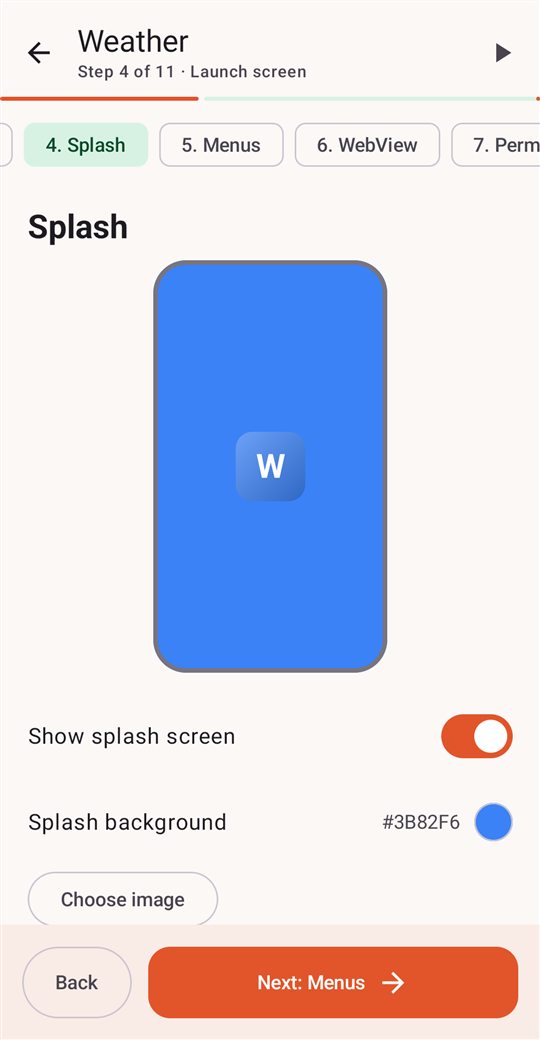
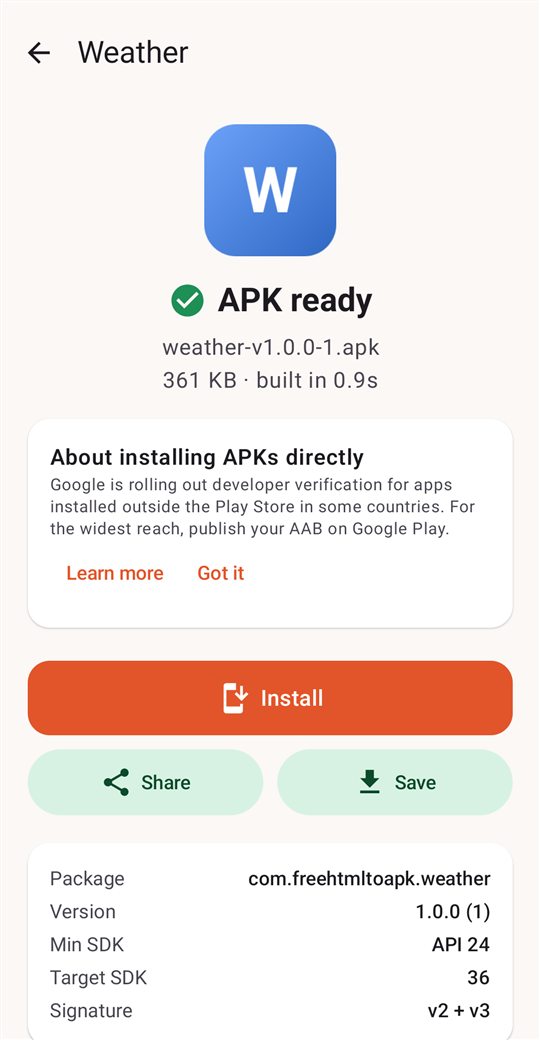
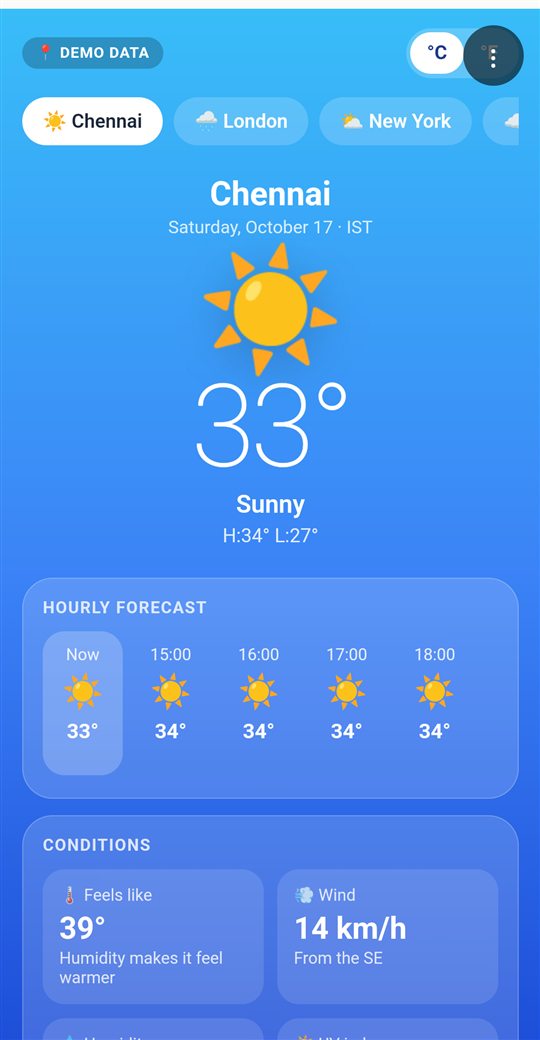
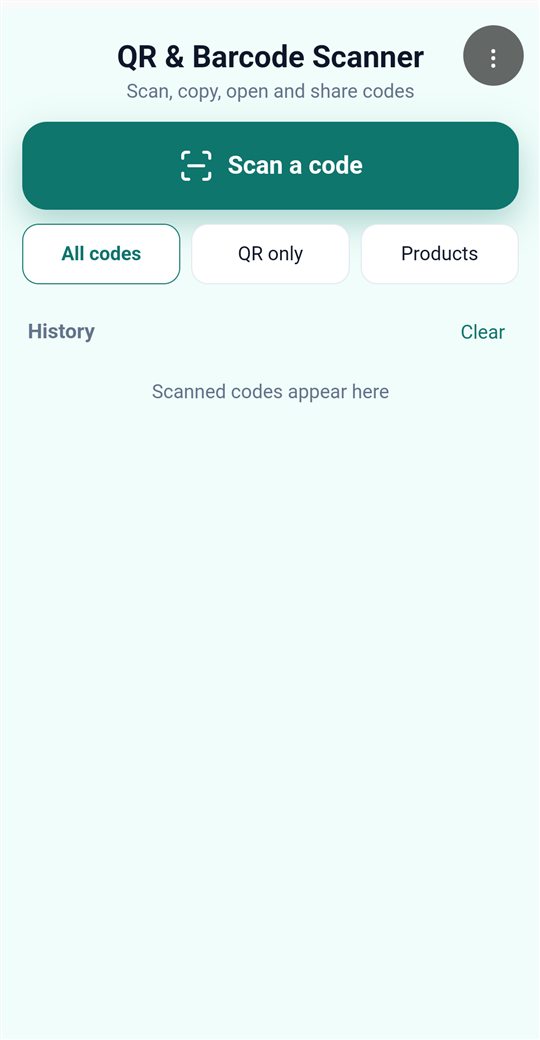
From idea to installed app
Real screens from the app. Tap a step to jump to it.
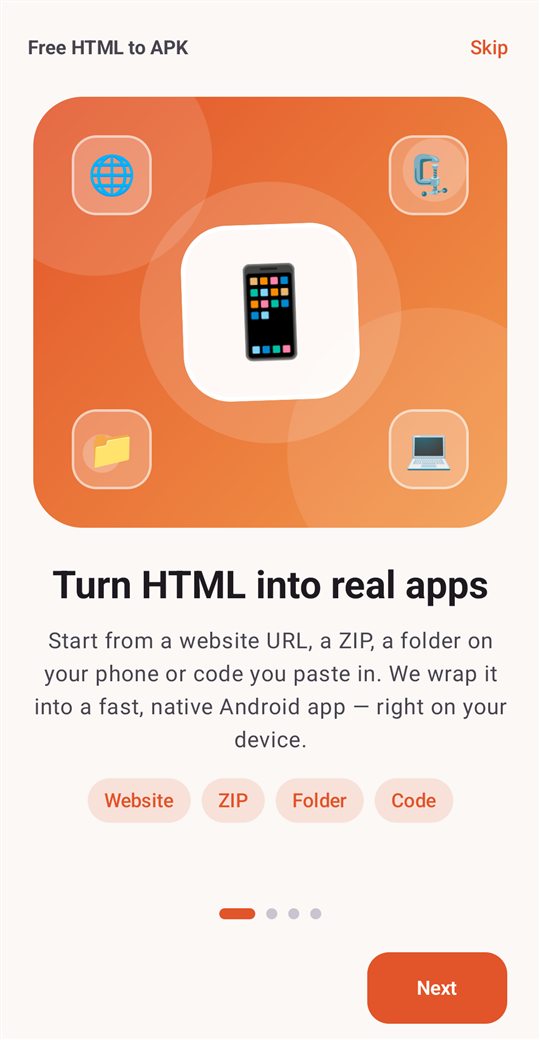
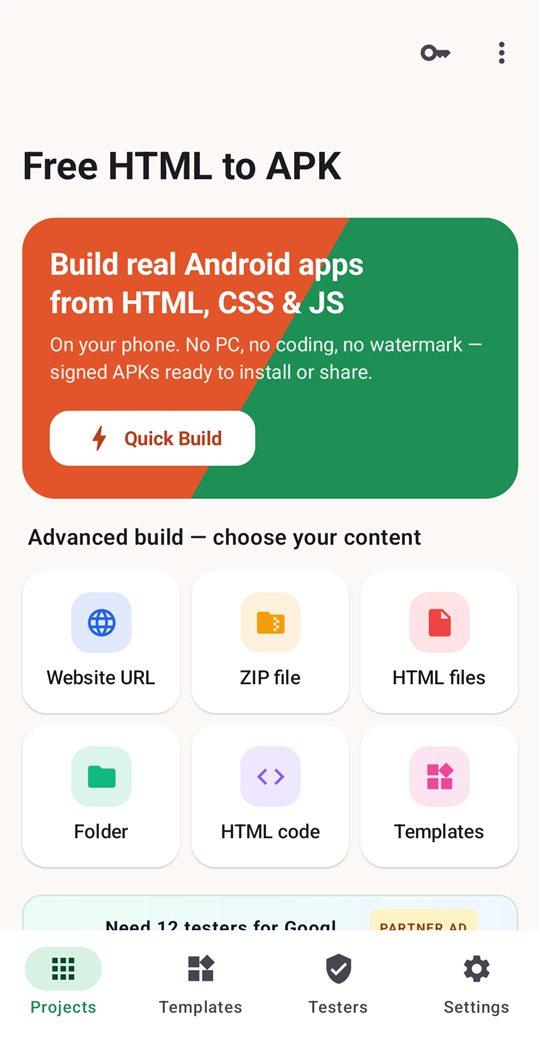
- 1Open the appNo account, no sign-up. You're building in seconds.
- 2Pick how to startWebsite, ZIP, folder, HTML files, code or a template.
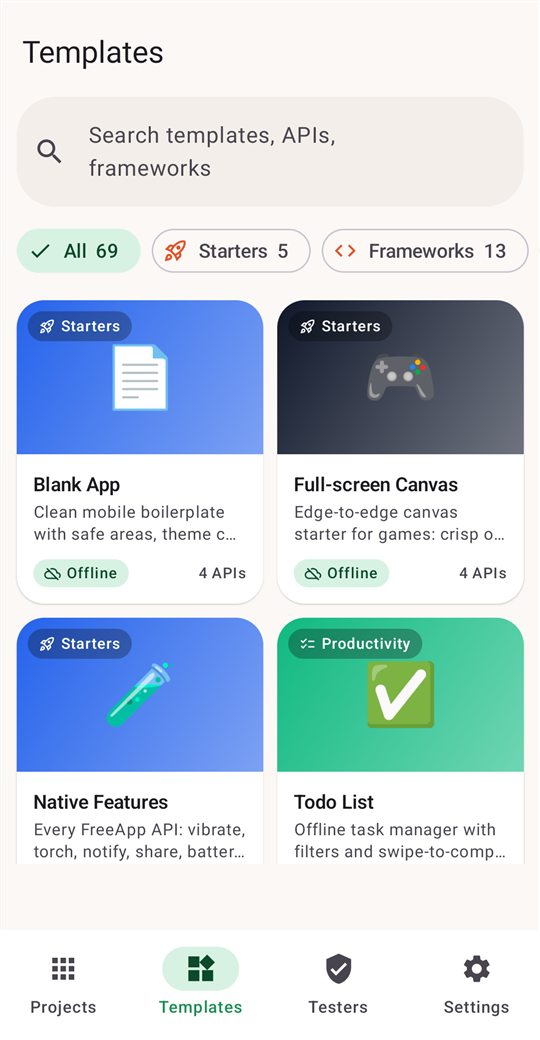
- 3Browse 79 templatesStarters, games, React, Vue, camera, NFC and more.
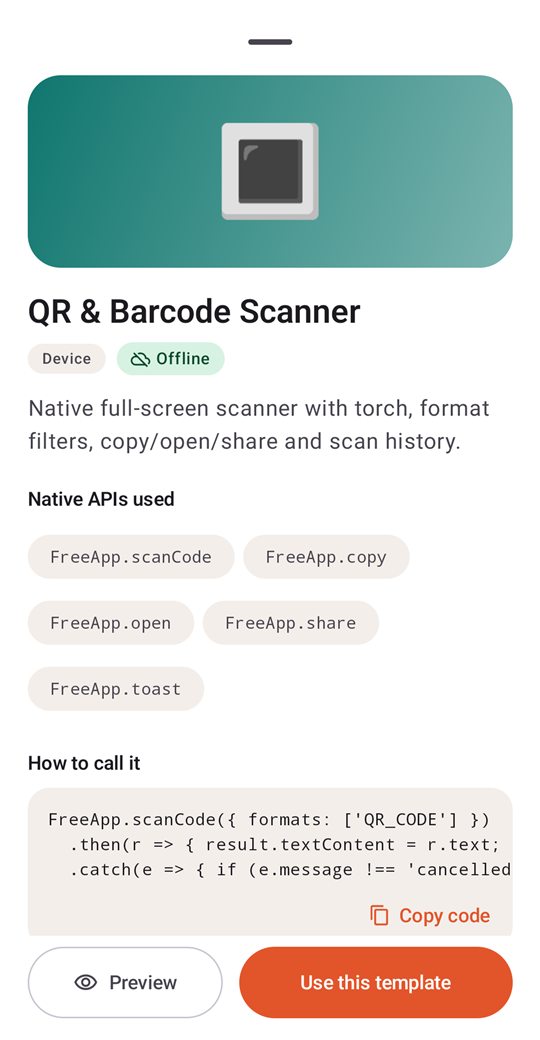
- 4See what it usesEvery template lists its native APIs, with code to copy.
- 5Make it yoursIcon, splash, colors, menus and dark mode in 12 easy steps.
- 6Build in a secondA signed APK to install and an AAB for Google Play.
- 7Get a real appSmooth, native and offline. This one took a minute.
- 8Use phone featuresQR scanner, camera, NFC, fingerprint, notifications.
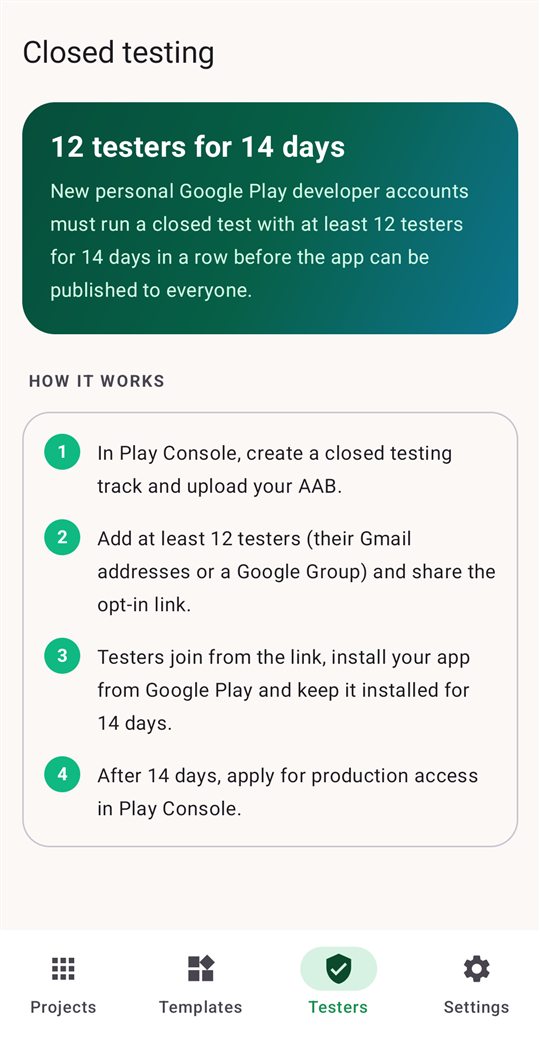
- 9Ship it to PlayGuidance for the 12-tester closed test, built in.
Bring what you already have
Six ways in, one button out. Imported files keep their folders, so your CSS, images and scripts just work.
Website URL
Wrap any site in a fast native shell with offline page, pull to refresh and same-site link handling.
ZIP file
Drop in an exported site or a build folder zipped up. index.html is found automatically.
Folder
Pick a folder on your phone and the whole project comes along, sub-folders included.
HTML files
Choose individual files. Stylesheets and scripts are placed where your HTML expects them.
Paste code
Write or paste HTML, CSS and JavaScript in the built-in code editor with live preview.
79 templates
Starters, games, frameworks and native-feature demos, ready to build and make your own.
Three steps. A few minutes.
Add your content
Paste a URL, import files or start from a template. Preview it instantly in the app.
Make it yours
Icon with crop, splash screen, colors, toolbar, tabs, side menu, dark mode, permissions and more in a 12-step wizard.
Build and ship
Get a signed APK to install or share, and an AAB for Google Play. Building takes seconds. In the Android app it all happens on your phone; the web builder assembles it on our server and keeps nothing.
Your JavaScript, with Android's hands
Every app gets window.FreeApp, a native bridge with more than a hundred calls. No plugins to install and no native code to write.
- Camera preview inside your page, photos, QR & barcode scanner
- NFC tags, fingerprint & face unlock, flashlight, vibration
- Location, live tracking, compass, motion sensors
- Notifications and reminders that survive a reboot
- Save to Downloads or Photos, share files, print to PDF
// Scan a QR code, then save the result
const { text } = await FreeApp.scanCode();
FreeApp.vibrate(30);

if (await FreeApp.biometric('Confirm it is you')) {
  FreeApp.store.set('last-scan', text);
  FreeApp.notify('Saved', text);
}

// Remind me in an hour, even after a restart
FreeApp.scheduleNotification('Check in', text, 3600000);
Free to build. Pay only to skip the ads.
Every feature is free, with no watermark on your app and no account. In the Android app a build uses 1 diamond, earned from a short ad.
Built for Google Play, not just for sideloading
- Android App Bundle (AAB) signed with your own upload key
- Create keys in the app or import .jks, .keystore, .p12 and .bks from Android Studio
- Key backups, fingerprints and PEPK export for Play App Signing
- Targets the latest Android version, 16 KB page-aligned native code
- Optional AdMob ads with consent, plus mediation with 10 partner networks
- In-app purchases and subscriptions with Google Play Billing
- Export a complete Android Studio project whenever you want
APK + AAB
Install directly or upload to Play Console.
Your keys
Stored on your phone. Back them up with one tap.
Your brand
Icon, splash, colors, menus. Nothing of ours.
11 languages
Builder in English, Hindi, Tamil, Arabic and more.

Need 12 testers for Google Play?
Partner adNew personal Google Play accounts must run a closed test with at least 12 testers for 14 days in a row before the app can go live. Closed Test Pro connects you with testers, so you can get through it without asking friends.
- 12 testers for 14 days, with a free plan
- Testers on real phones, not emulators
- Daily reminders keep testers active
- Testers who drop out are replaced
Start with something that already works
Every template is a complete app you can build as-is, then change line by line.
Todo List
Offline task manager with filters and swipe-to-complete.
QR & Barcode Scanner
Native full-screen scanner with torch, format filters, copy/open/share and scan history.
Pro Camera
Native camera under your HTML controls: flip, flash, timer, grid, gallery save and share.
React Starter
React 18 + htm from CDN: counter and todo, no build step. Needs internet.
Phaser Jumper
Phaser 3 mini platformer with on-screen controls. Needs internet.
Weather
Beautiful weather UI with hourly and weekly forecast (demo data).
NFC Tools
Read tag IDs and NDEF records, write links, text or phone numbers to NFC tags.
PyScript Python
Run Python in the browser: hello world and a calculator. Needs internet.
Questions, answered
Is it really free?
Every feature is free, with no watermark, no branding and no account, and you own everything you build. In the Android app each build uses 1 diamond: watch a short ad to earn one, get one free a day when no ad is available, and get it back if a build fails. Prefer no ads? Remove Ads is $2 once and Support Development is $10 a year, both through Google Play. The web builder on this site is free and uses no diamonds. See pricing.
Do I need a computer or Android Studio?
No. Everything happens on your Android phone: importing files, editing, building, signing and installing. If you ever want to go further, you can export a complete Android Studio project.
Can I publish the apps on Google Play?
Yes. The app builds a signed Android App Bundle (AAB) with your own upload key, ready for Play Console. The publish guide walks through the whole process, including the closed test new developer accounts need.
What can my JavaScript do on the phone?
Your page gets a native bridge, window.FreeApp: camera, QR and barcode scanning, NFC, fingerprint unlock, location, notifications and reminders, file saving, sharing, sensors, text-to-speech and more. See the JavaScript API.
Will my app work offline?
If your files are bundled (ZIP, folder, HTML files or code), the app works completely offline. Website apps need a connection and show a friendly offline page with automatic retry when the network is back.
Does it support React, Vue, Tailwind or game engines?
Yes. Anything that runs in a modern browser works, including ES modules, service workers and single-page-app routing. Templates include React, Vue, Alpine, Tailwind, Bootstrap, Phaser, Three.js, Chart.js, Leaflet, PyScript and more.
Can I show ads?
Optionally. Turn on Google AdMob (banner, interstitial and rewarded) with a GDPR/US consent form, and add mediation with 10 partner ad networks. Ads are off unless you switch them on.
Which Android versions are supported?
The builder runs on Android 8.0 and newer. The apps you build run on Android 7.0 and newer, and target the latest Android version Google Play requires.
Ready to build your first app?
Every feature is free, it's on your phone, and it takes less time than reading this page.